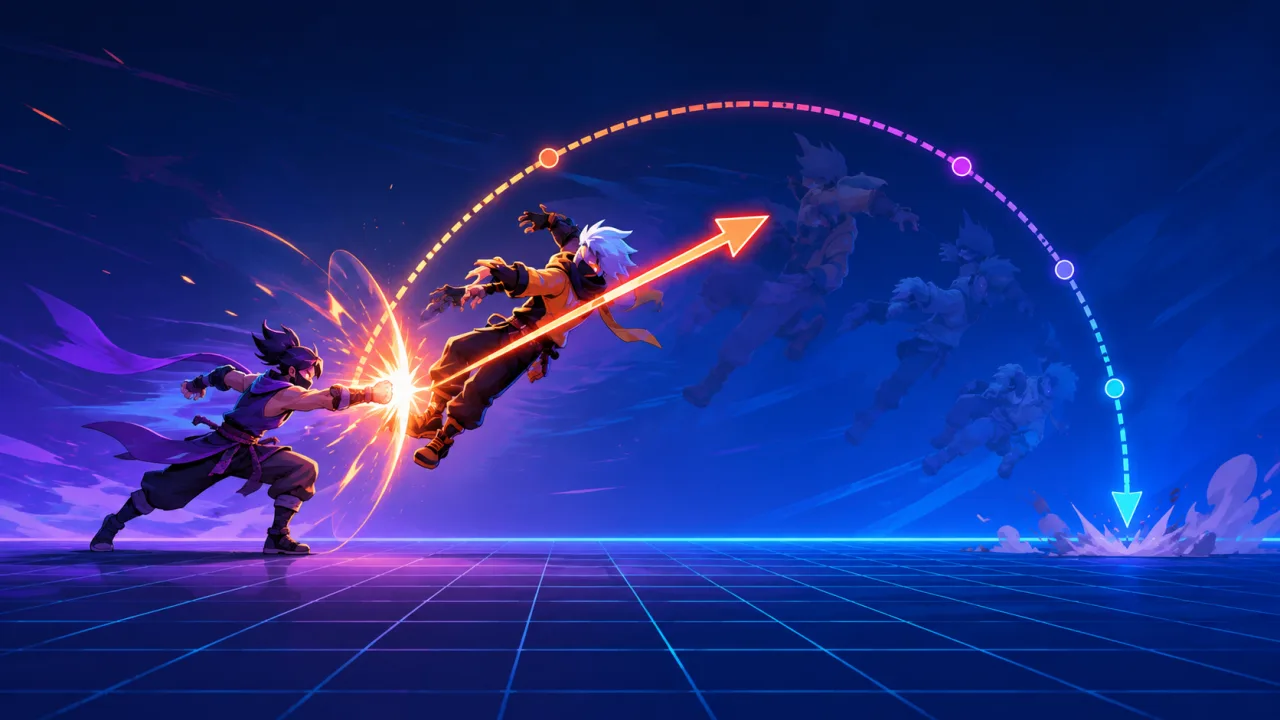
Knockback is more than moving a character away from a hit. It communicates impact, creates space, interrupts unsafe actions, and changes the tactical shape of an encounter. A responsive HTML5 implementation needs predictable force, collision-safe movement, clear recovery rules, and enough tuning controls to support every attack without scattering special cases through combat code.
Separate the hit result from the movement response
Let combat resolution decide whether a hit lands, how much damage it deals, and which tags it carries. Then pass a compact knockback request to the movement system: direction, horizontal impulse, vertical impulse, duration, source, resistance category, and whether the reaction may interrupt the target.
This keeps damage, status effects, and movement independent. The same attack can display a value through your floating damage number system while the movement controller handles displacement. It also allows shields, armor, bosses, or temporary buffs to modify knockback without rewriting damage formulas.
Build a stable direction vector
For a side-view game, horizontal direction often comes from the sign of target position minus attacker position. If both centers overlap, fall back to the attacker's facing direction or a direction stored by the hitbox. Normalize arbitrary two-dimensional vectors before multiplying by force so diagonal hits do not become stronger than horizontal ones.
Avoid deriving direction from the target's current velocity; that produces confusing reversals when a character runs through an attacker. The hit event should carry the authoritative origin or direction captured at impact time.
Use force profiles instead of one universal formula
Define reusable profiles for light stagger, heavy launch, upward pop, ground slide, and finishing blow. Each profile can contain initial velocity, gravity scale, drag, maximum speed, minimum airborne time, recovery delay, and collision response. Designers can tune attacks by choosing a profile and applying a small multiplier rather than entering every parameter repeatedly.
Clamp final impulses to a safe range. Multipliers from critical hits, charge time, difficulty, or equipment can otherwise produce velocities that cross thin colliders in one update. If the game permits extreme launches, combine the profile with continuous collision detection.
Apply impulses inside the fixed simulation
Queue knockback requests when hits are resolved and consume them during the next physics update. Applying movement directly from render callbacks makes results dependent on frame rate and can cause one-frame penetration. A fixed-timestep game loop gives every impulse the same integration interval on fast and slow devices.
During each step, integrate knockback velocity, apply the profile's gravity and drag, then sweep the character shape from its current position to the proposed position. Resolve the earliest collision, move to the contact point, and remove or reflect only the blocked component of velocity.
Coordinate knockback with the player controller
Decide explicitly which inputs remain available during reaction. A short light hit may reduce acceleration while preserving steering; a heavy launch may lock normal movement until landing; an accessibility option might shorten loss-of-control time without reducing visual impact. Do not silently let the normal movement controller overwrite knockback velocity on the next frame.
A practical controller keeps player-driven velocity and external velocity as separate components. Acceleration modifies the player component, while hits, moving platforms, wind, and explosions contribute external motion. Combine them for collision movement, then decay each according to its own rules.
Handle resistance and immunity transparently
Represent resistance as a multiplier or curve applied to force and reaction duration, with clear minimums and maximums. Large enemies can move less without becoming visually unresponsive: preserve a brief hit pose, flash, sound, or camera cue even when displacement is tiny. Full immunity should be a deliberate state, not the accidental result of rounding a multiplier to zero.
Status effects can modify resistance through the same data-driven pipeline described in 2D status effect systems. Resolve all modifiers once when the hit lands and store the resulting values in the reaction, preventing mid-flight equipment changes from producing discontinuities.
Prevent walls, floors, and slopes from creating bugs
Horizontal knockback into a wall should stop cleanly and optionally trigger a wall-impact reaction. Upward knockback must not push the character through a low ceiling. On landing, remove downward external velocity and transition to the correct grounded recovery state. For slopes, project the remaining motion along the walkable surface only when the profile permits a slide.
Add a small separation tolerance after contact, but never teleport the character several pixels to escape overlap. If an attack begins while shapes already overlap, use the collision system's minimum translation vector to establish a valid starting position before applying the impulse.
Resolve multiple hits deterministically
When several hits arrive in one simulation step, choose a documented rule. You might keep the strongest impulse, add capped impulses, or prioritize attacks by reaction tier. Sorting by event sequence and profile priority ensures the outcome does not depend on array order or network arrival timing.
For rapid multi-hit attacks, restarting the full lockout on every hit can trap the player. Use diminishing reaction duration, a short re-hit grace period, or an accumulated force cap. Preserve the feedback for each confirmed hit while keeping control loss fair.
Make impact readable without excessive motion
Coordinate displacement with animation, particles, sound, and a restrained camera response. The force direction should match the character pose and effect trail. If you use hit pause, freeze both attacker and target consistently, then apply the queued impulse when simulation resumes.
Offer a reduced-motion option that limits camera shake, screen zoom, and exaggerated arcs while retaining the gameplay displacement needed for collision and spacing. The principles in reduced-motion settings for HTML5 games apply to combat reactions as well as menus.
Test behavior, performance, and feel
Automated tests should cover direction fallback, normalized diagonal force, resistance limits, stacked hits, wall and ceiling contact, slopes, landing transitions, pause/resume, and scene changes. Run the same recorded hit sequence at different render rates and confirm the final position is identical.
Profile the worst case with many active enemies and particles. Track collision sweeps and reaction updates using frame-time telemetry. On mobile hardware, test touch input during light reactions to ensure preserved steering actually feels responsive.
Practical implementation checklist
- Emit a compact knockback request from combat resolution.
- Calculate a stable normalized direction at impact time.
- Choose a reusable, data-driven force profile.
- Apply the impulse during the fixed physics step.
- Keep player motion and external velocity separate.
- Sweep against collisions and resolve each blocked component.
- Define resistance, stacking, interruption, and recovery rules.
- Coordinate feedback and reduced-motion behavior.
- Verify deterministic results across frame rates and devices.
A good knockback system feels immediate because its rules are consistent. When force, collision, control, and recovery are modeled separately, attacks gain weight without making movement unpredictable or fragile.