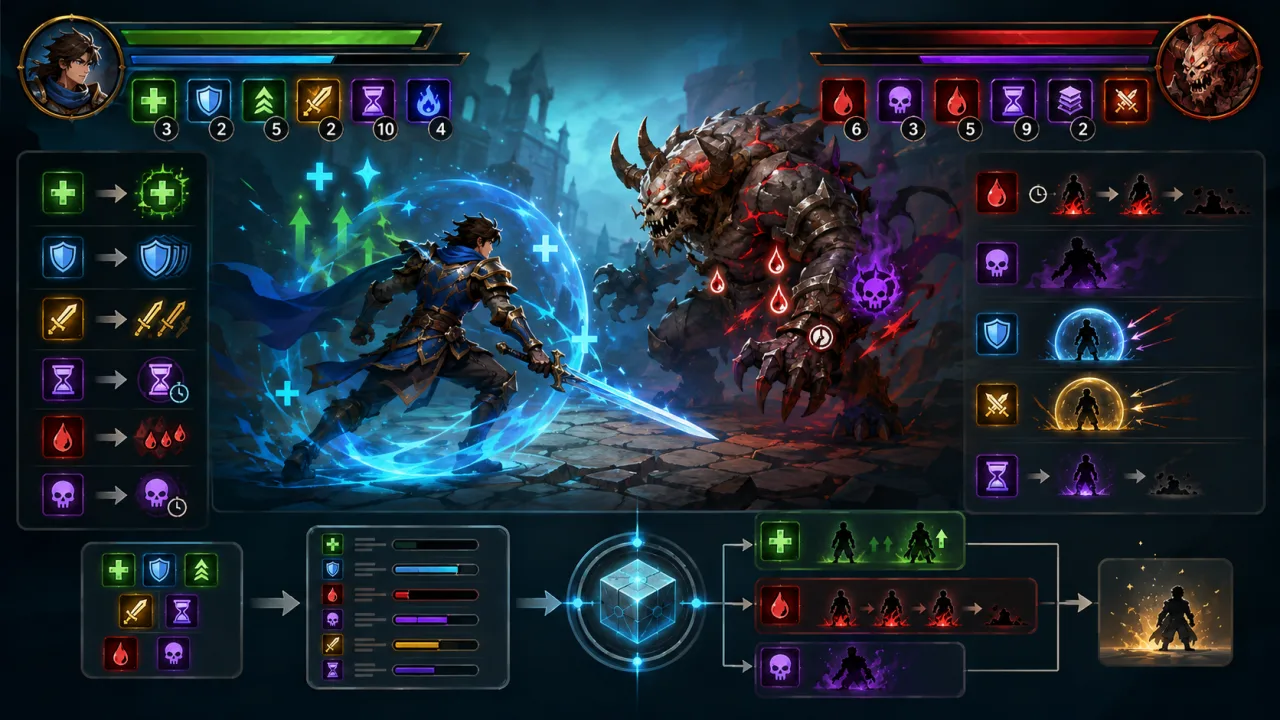
Status effects make combat, exploration, and character builds more expressive, but they also create difficult edge cases. Poison must tick at the correct time, haste must update movement safely, shields must expire cleanly, and repeated applications need predictable stacking rules. A data-driven status effect system keeps those rules consistent across an HTML5 game.
Separate effect definitions from active instances
An effect definition describes reusable design data: a stable ID, icon, tags, duration, tick interval, stat modifiers, stacking policy, maximum stacks, and optional visual or audio cues. An active instance stores runtime state such as source entity, target entity, start time, remaining duration, current stacks, and the next tick time.
This separation lets several enemies apply the same poison without duplicating its design data. It also keeps save files compact and enables designers to balance values without rewriting entity code.
{
  id: "burn",
  durationMs: 6000,
  tickMs: 1000,
  stacking: "refresh",
  maxStacks: 3,
  tags: ["damage-over-time", "fire"]
}
Choose explicit stacking policies
Do not hide stacking behavior inside individual callbacks. Give every effect one documented policy. Replace discards the old instance and starts a new one. Refresh keeps the current strength but resets duration. Extend adds time up to a cap. Stack increases intensity while sharing a timer. Independent creates separate instances, which is powerful but more expensive and harder to display.
When a new application arrives, one authoritative function should resolve the definition, check immunity, find compatible active instances, apply the stacking policy, and emit one result. This prevents combat code, item code, and UI code from interpreting the same effect differently.
Use timestamps for duration and ticks
Store start, expiry, and next-tick timestamps rather than subtracting frame delta from many counters. Timestamp-based scheduling handles background-tab throttling and temporary frame stalls more predictably. On update, process due ticks in order, but set a maximum catch-up count so a long pause cannot freeze the browser with hundreds of delayed events.
Keep the simulation clock compatible with the fixed-timestep game loop. Visual countdown rings can interpolate every frame, while authoritative damage and expiry remain tied to simulation time.
Apply stat modifiers deterministically
Calculate final stats from a stable pipeline: base value, additive modifiers, multiplicative modifiers, and final clamps. Sort modifiers by a defined priority rather than relying on insertion order. When an effect expires, remove its modifier source and recalculate. Avoid directly mutating a stat on apply and trying to reverse the mutation later; equipment or another effect may have changed the same value in between.
Tag effects with concepts such as movement, crowd-control, poison, fire, beneficial, or dispellable. Immunity and cleansing rules can then target tags instead of maintaining long lists of effect IDs.
Design periodic effects carefully
Damage-over-time, healing-over-time, regeneration, and resource drains share the same tick mechanism. Each tick should pass through the normal combat event pipeline so shields, resistances, death handling, floating numbers, and analytics remain consistent. Include the source entity when available so rewards and combat logs assign credit correctly.
Pool repeated particles and floating labels using the strategy in HTML5 object pooling. This reduces garbage collection spikes when many entities have periodic effects at once.
Build a readable status UI
Show active effects as compact icons with stack count, remaining-time indicator, and a clear beneficial or harmful treatment. Provide a detail panel or tooltip with the effect name and practical outcome. Do not communicate state through color alone. On touch screens, icons need enough spacing and a stable tap target; follow the layout guidance in HTML5 touch controls.
Update countdown visuals at a modest rate when exact frame-level motion is unnecessary. The game simulation owns the truth; the UI observes immutable snapshots or events. This avoids stale icons that remain after an effect has already expired.
Handle immunity, cleansing, and replacement
- Check permanent character immunities before temporary ones.
- Return a structured reason when an application is blocked.
- Let cleanses remove effects by tag, priority, or count.
- Define whether cleansing triggers an on-expire reaction.
- Prevent an effect's removal callback from removing the same instance twice.
- Queue additions and removals when iterating active effects.
A deferred mutation queue is safer than changing the active array inside a tick callback. Process ticks, collect requested changes, then commit them in a controlled phase.
Save only durable state
For games that persist combat or world effects, save definition ID, stacks, source reference when valid, and expiry or remaining duration. Add a schema version and validate every record on load. Unknown IDs should be skipped safely. Temporary visual handles, callbacks, and DOM nodes must never enter the save file.
If crafting consumables can apply buffs, connect their item results through the same public status-effect API described in the 2D crafting system. Interaction zones can also apply environmental effects through a reusable 2D interaction prompt system.
Test the difficult cases
- Reapply an effect one millisecond before expiry.
- Apply more stacks than the configured maximum.
- Pause the tab beyond several tick intervals.
- Cleanse an effect during its own tick callback.
- Kill the source entity while its damage-over-time remains active.
- Combine additive and multiplicative modifiers in different orders.
- Load a save containing a removed effect definition.
- Render dozens of effects and inspect frame-time telemetry.
Use frame-time telemetry to measure worst-case battles. If effect queries become expensive across large worlds, broad-phase techniques such as an HTML5 spatial hash grid can limit which nearby auras need evaluation.
Ship a small vertical slice
Begin with one buff, one debuff, refresh stacking, and a single periodic effect. Add a deterministic modifier pipeline, basic icons, and unit tests before implementing independent stacks, complex dispels, or large aura networks. This sequence proves the lifecycle before content volume grows.
A reliable 2D status effect system is a lifecycle manager, not a collection of timers. With separate definitions and instances, explicit stacking, timestamp-based scheduling, tagged immunity rules, deterministic modifiers, and event-driven UI, the feature stays understandable as the game adds more characters, items, enemies, and combat combinations.