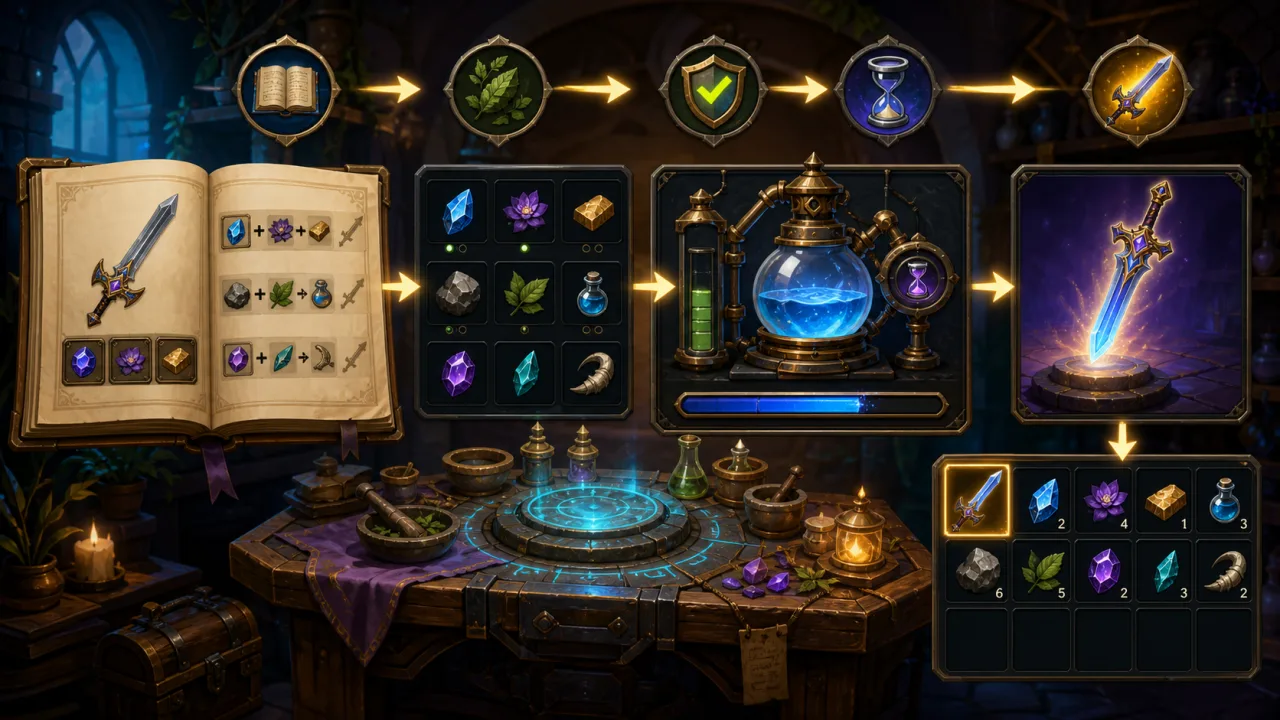
A good crafting system turns collected materials into meaningful player choices. In an HTML5 game, the challenge is not drawing a recipe panel; it is keeping recipes, inventory rules, progress, feedback, saving, and touch controls consistent without tying every item to custom code. A data-driven design makes the feature easier to expand and safer to ship.
Start with recipe data, not UI buttons
Define each recipe as data with a stable ID, a list of ingredient IDs and quantities, an output item and quantity, crafting time, unlock conditions, and optional station type. The interface should read this model instead of containing recipe logic. That separation lets designers add content without rewriting the panel and lets the same rules power keyboard, touch, or controller layouts.
{
  id: "iron-sword",
  ingredients: [{ id: "iron", qty: 3 }, { id: "wood", qty: 1 }],
  output: { id: "iron-sword", qty: 1 },
  durationMs: 2500,
  station: "forge"
}
Keep item definitions in a central catalog. Recipes should reference item IDs rather than duplicate names, icons, stack sizes, or prices. If your project already uses the approach in building a 2D inventory system, crafting can consume and produce items through the same inventory API.
Validate ingredients with one authoritative function
Create a pure validation function that receives a recipe, current inventory, unlocked recipes, and active station. It should return a structured result such as craftable, missing ingredients, locked, wrong station, or inventory full. The UI can translate that result into disabled states and clear messages, while automated tests can exercise the rules without rendering the game.
Avoid subtracting ingredients one slot at a time before the full request is known to succeed. First calculate the entire transaction, including output capacity. Then commit all changes together. This prevents lost materials when the output stack cannot fit or when a second click arrives during the same frame.
Make crafting an atomic transaction
- Resolve the recipe by its stable ID.
- Validate unlock, station, ingredients, and output capacity.
- Reserve or remove every required ingredient.
- Start the crafting job and record its start time.
- On completion, add the output and release the job.
- Save the resulting state once the transaction succeeds.
For instant recipes, removal and output can happen in one synchronous transaction. Timed recipes need a job object with recipe ID, quantity, start timestamp, finish timestamp, and status. Store timestamps rather than decrementing a counter only in memory, so a backgrounded tab can calculate remaining time accurately when it resumes.
Design the interface around decisions
A useful crafting screen shows available recipes, ingredient requirements, owned quantities, output preview, crafting time, and the reason a recipe is unavailable. Do not rely on color alone; combine icons, quantities, labels, and states. Keep the primary craft button stable rather than moving it when a warning appears.
On mobile, size ingredient slots and buttons for reliable touch targets. Use the same responsive principles described in HTML5 touch controls. If the player must stand near a station, connect the panel to a reusable prompt layer such as the 2D interaction prompt system.
Handle queues and repeated crafting
Decide early whether the game allows one active job, one job per station, or a queue. A queue entry should capture the recipe and quantity at the moment it starts; do not recalculate costs after ingredients have already been reserved. For a Craft All option, compute the maximum craftable quantity from every ingredient and the remaining output capacity, then apply a sensible cap to protect performance and game balance.
Update the visible progress bar from timestamps, but keep completion logic independent from animation frames. If the page is throttled, the next update should finish every elapsed job in order. Use frame-time telemetry to confirm that recipe filtering, inventory refreshes, and particles do not create spikes on lower-powered devices.
Persist safely
Save inventory, unlocked recipe IDs, and active jobs using a versioned schema. Validate loaded data before trusting it: unknown recipe IDs, negative quantities, invalid timestamps, and duplicate jobs should fall back safely. When changing recipes in a future release, migrate old save data or preserve the definitions needed to complete already-started jobs.
Queue a save after a successful transaction rather than writing storage on every progress tick. A compact, debounced save keeps the main thread responsive. If recipes or catalogs are localized, store stable IDs and translate only at display time; see HTML5 game localization for a scalable content approach.
Add feedback without adding garbage
Craft completion benefits from a short sound, item reveal, particle burst, and inventory highlight. Reuse visual objects with object pooling instead of allocating particles for every craft. Spatial effects near several stations can be managed efficiently with an HTML5 spatial hash grid, although a single open panel rarely needs that complexity.
Test the edge cases
- The player has exactly the required quantity.
- Two rapid clicks target the last available materials.
- The output stack is full or partially full.
- The tab sleeps past the completion time.
- A saved job references a recipe changed by an update.
- The player closes the panel while crafting continues.
- Touch input triggers one action rather than duplicate pointer and click events.
- A queue completes several jobs after the game resumes.
Ship a small vertical slice first
Begin with one station, five recipes, instant crafting, and a single inventory transaction. Once validation and saving are reliable, add timers, queues, unlock rules, and richer feedback. This order proves the data flow before presentation complexity grows.
A flexible crafting system is ultimately a transaction layer wrapped in clear feedback. When recipes are data, validation is centralized, inventory changes are atomic, and jobs use timestamps, the feature remains predictable across browsers, devices, save files, and future content updates.