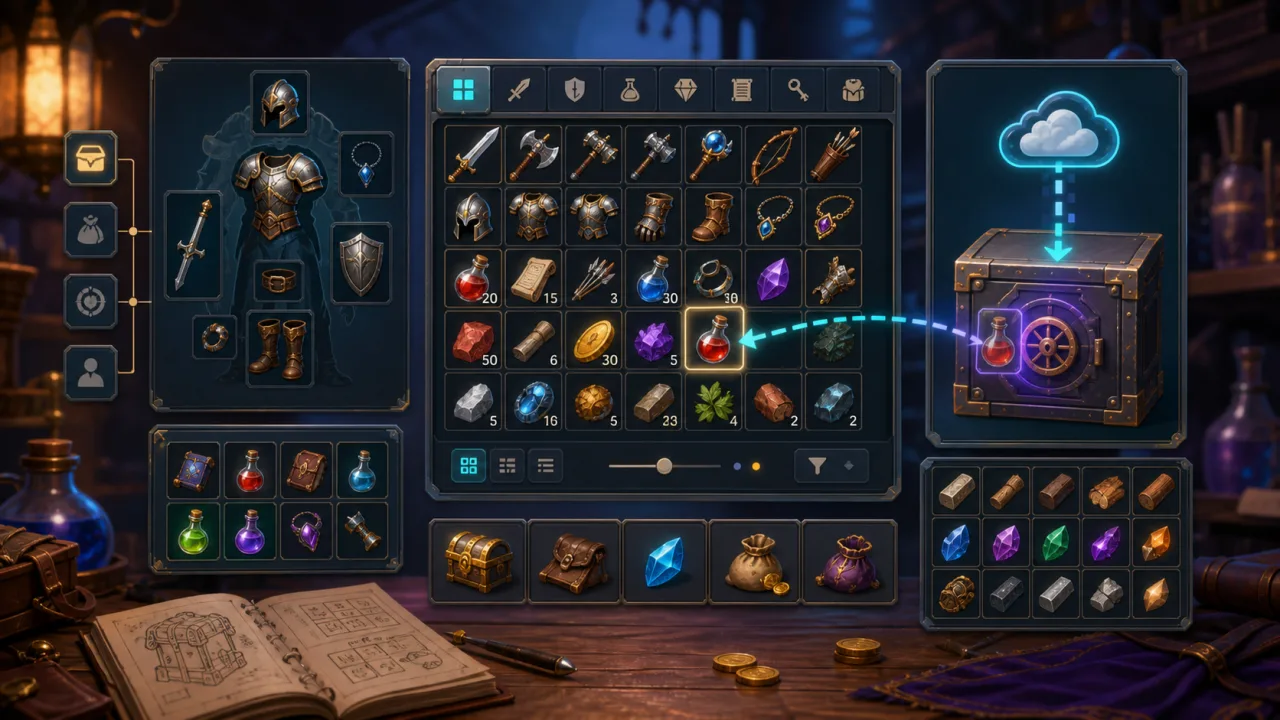
A good inventory system makes items predictable for players and manageable for developers. In an HTML5 game, it should support pickups, stacking, equipment, drag and drop, saving, and touch input without coupling every screen to gameplay code. The strongest approach starts with clean item data and a small set of deterministic inventory operations.
Separate item definitions from item instances
An item definition describes shared facts: identifier, display name, icon, category, maximum stack size, equipment slot, value, and optional action rules. Keep definitions in JSON or a JavaScript module and load them once. An item instance stores only changing state such as quantity, durability, generated modifiers, or a unique instance ID.
This separation keeps save files small and prevents duplicated data. It also makes localization easier because the UI can resolve a display key at render time, following the same data-first pattern used in an HTML5 game localization system.
Design a compact inventory model
Represent the inventory as a fixed array of slots. Each slot is empty or contains an item instance. A fixed layout maps cleanly to a grid, supports controller navigation, and provides deterministic indexes for saving. Put mutations behind a small API instead of changing the array directly.
addItem(itemId, quantity)fills compatible stacks before empty slots.removeItem(slotIndex, quantity)decrements or clears a slot.moveItem(from, to)swaps, moves, or merges compatible stacks.splitStack(slotIndex, quantity)creates a second stack when space exists.useItem(slotIndex)delegates the gameplay effect, then updates inventory state.
Each operation should return a structured result such as success, remainder, changed slots, and an error code. The UI can then animate only affected cells while gameplay code can handle a full inventory without scraping text from the screen.
Keep rendering independent from state
Build the grid once with DOM elements or a canvas UI layer, then render from inventory state. Use a stable slot index, update the icon and quantity only when a slot changes, and keep selection state separate. Avoid rebuilding the entire interface for every pickup because that creates layout work and unnecessary allocations.
If the game uses a canvas world with DOM menus, pause world interactions while the inventory is open but keep the render loop responsive. The techniques in a fixed-timestep game loop help ensure that menu activity never changes simulation speed.
Implement drag and drop as a command
Pointer events provide one input path for mouse, pen, and touch. On pointer down, record the source slot and create a lightweight drag preview. On pointer move, position the preview without mutating inventory. On pointer up, resolve the target slot and call moveItem. If the command fails, animate the preview back to its source.
Do not make dragging the only method. Tapping one slot and then another is more reliable on phones, and keyboard or gamepad users need focusable cells with clear selection. Apply the mobile layout principles from HTML5 touch controls: generous hit areas, safe-area padding, and no important action at the extreme edge of the viewport.
Add equipment without duplicating logic
Equipment slots can use the same slot structure with an acceptance rule. A weapon slot accepts only items whose definition includes that equipment type. Moving an item into equipment should be one atomic command: validate the destination, unequip any existing item, update stats, and emit a single change event.
Keep derived combat statistics outside the inventory. The inventory announces that equipment changed; a character-stat system recalculates totals from the equipped definitions and modifiers. This prevents circular dependencies and makes the system easier to test.
Support sorting and filtering safely
Filtering should change the visible view, not the underlying slot indexes, unless the player explicitly chooses to sort. A filtered list can map display cells to real inventory slots. Sorting is a deliberate mutation that compacts items and orders them by category, rarity, name, or value.
When stacks are mergeable, consolidate them before sorting. Preserve unique items and durability values. Run the sort as one transaction and emit a single update event to avoid dozens of intermediate renders.
Persist versioned inventory data
Save item IDs, quantities, unique state, equipped slot names, and a schema version. Never save icon URLs or localized names because those can be rebuilt from definitions. Validate every loaded record, clamp quantities, ignore unknown fields, and move unknown item IDs to a recovery list instead of crashing the load.
Write saves at controlled checkpoints rather than after every pointer move. A short debounce after a completed inventory command reduces storage writes. For larger games, the same event-driven design can connect to a broader checkpoint or cloud-save layer.
Plan for performance and accessibility
Use an icon atlas or cached images, reuse drag previews, and update only changed slots. Pool short-lived visual effects with the techniques described in HTML5 object pooling. Profile open, sort, and rapid-transfer actions with frame-time telemetry so menu spikes are visible on lower-powered devices.
Every item cell should expose a readable label, quantity, and selected state. Provide a list-view option for screen readers and high zoom. Distinguish rarity with shape or border style as well as color, applying the principles from high-contrast game settings.
Test the inventory as pure logic
- Add quantities that span several stacks and verify the remainder.
- Move compatible and incompatible items between slots.
- Split, merge, equip, unequip, and use items at boundary quantities.
- Save, reload, and migrate an older schema version.
- Exercise pointer, tap-to-select, keyboard, and gamepad navigation.
- Resize the viewport and confirm safe-area and mobile layouts remain usable.
A flexible 2D inventory system is less about drawing a grid and more about protecting a clean state model. With definition-instance separation, atomic commands, event-driven rendering, and versioned persistence, the same foundation can grow from a small browser game into a deep equipment and crafting experience.