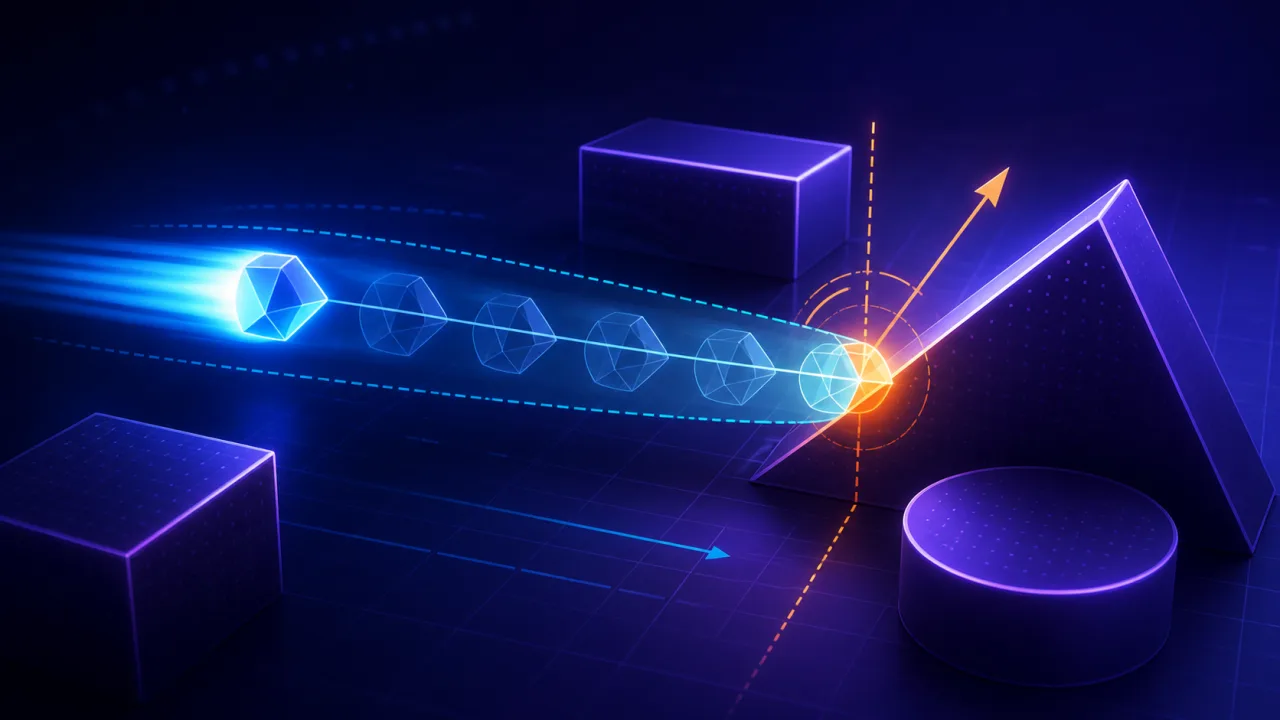
Excerpt: Fast bullets, racers, grappling hooks, and dash attacks can cross a thin obstacle between two rendered frames. Continuous collision detection follows the motion path, finds the earliest time of impact, and resolves contact before tunneling occurs.
Most HTML5 games begin with discrete collision detection: move an object, then test whether its new shape overlaps a wall. That is inexpensive and reliable for ordinary motion. It fails when displacement during one simulation step is larger than the obstacle or collider. A projectile can be in front of a wall at the start and behind it at the end without ever producing an overlap.
When continuous collision detection is worth using
Use continuous collision detection, or CCD, selectively. It is most valuable for small fast objects, player dash moves, high-speed vehicles, moving platforms, and critical triggers. Ordinary scenery, slow characters, and settled physics objects usually remain cheaper with discrete tests.
Before adding CCD, stabilize simulation timing with a fixed-timestep game loop. Variable step lengths make collision thresholds harder to tune and can turn a frame-rate hitch into an enormous sweep.
Think in terms of a swept shape
Instead of asking whether the collider overlaps at the end of the step, ask whether its entire path intersects anything. A moving circle sweeps a capsule. A moving axis-aligned box sweeps a larger box-like volume. The collision query returns a normalized time of impact from 0 to 1, a contact point, and a surface normal.
If an object begins at position p, moves by displacement d, and the first hit occurs at time t, place it at p + d × t. Do not move it straight to the end and then push it backward; that produces unstable corrections and can choose the wrong side of a thin obstacle.
Swept AABB with the slab method
For axis-aligned rectangles, expand the static obstacle by the moving box's half-size and sweep the moving box's center as a point. This is the Minkowski-sum view of the problem and simplifies the math.
- Calculate entry and exit times on the x axis from the expanded minimum and maximum bounds.
- Do the same on the y axis.
- The overall entry time is the larger axis entry; the exit time is the smaller axis exit.
- A hit exists when entry is not after exit, the exit is non-negative, and entry lies within the current step.
- The axis with the later entry determines the contact normal.
entryX = min(tx1, tx2)
exitX  = max(tx1, tx2)
entryY = min(ty1, ty2)
exitY  = max(ty1, ty2)

entry = max(entryX, entryY)
exit  = min(exitX, exitY)

hit = entry <= exit && exit >= 0 && entry <= 1
Handle zero velocity on an axis explicitly. If the point is outside the slab and has no motion toward it, there can be no hit. If it is already inside that slab, treat the axis interval as unbounded for this query.
Swept circles and segment tests
For a fast circle against a wall segment, expand the segment by the circle radius and raycast the circle center against the resulting capsule. A practical implementation tests the segment body and both endpoint circles, then chooses the earliest valid hit. Circle-to-circle motion becomes a ray against a circle using relative position and combined radius.
For a bullet whose shape is visually unimportant, a ray or short capsule cast often gives the best tradeoff. Store the previous position, sweep to the desired position, and place the impact effect at the returned contact point.
Use broad phase before exact sweeps
CCD should not test every moving object against every obstacle. Query only colliders intersecting the swept bounding box. A spatial hash grid works well for tile-based and moderately uniform worlds; a quadtree or BVH is better when object sizes vary greatly.
Make the broad-phase bounds cover both the start and end collider bounds, plus a small tolerance. Deduplicate candidates returned from multiple cells before exact testing. Reuse candidate arrays through object pooling so high projectile counts do not create garbage-collection spikes.
Resolve the earliest hit, then use remaining time
A complete step rarely ends at the first contact. Move to just before the earliest impact, resolve velocity, and sweep again using the remaining fraction of the step. For sliding, remove the component of remaining displacement that points into the surface:
intoSurface = dot(remaining, normal)
if (intoSurface < 0) {
  remaining -= normal * intoSurface
}
For a bounce, reflect velocity across the normal and multiply by restitution. For a projectile, stop or destroy it. Limit the number of sub-iterations—often three or four is enough—so a collider trapped in a corner cannot consume the entire frame.
Moving obstacles need relative motion
When both shapes move, sweep one collider using relative displacement: movingObjectDelta minus obstacleDelta. After finding time of impact, advance both bodies to that same time. This matters for elevators, doors, enemies, vehicles, and projectiles fired from moving platforms.
Collision response still needs the obstacle's surface velocity. A character landing on a platform should inherit or be carried by its tangential movement rather than having all world-space velocity removed.
Start overlap and numerical tolerance
CCD does not replace overlap recovery. Spawned objects, level edits, teleports, and accumulated floating-point error can begin a step already intersecting. Run a separate penetration test first, move the object out along a minimum translation vector, and only then sweep the remaining motion.
- Keep a small skin distance between resolved colliders.
- Clamp time of impact to the valid 0–1 range.
- Treat extremely small velocities as zero.
- Use consistent inclusive or exclusive edge rules.
- Scale tolerances to world units, not screen pixels.
Debug what the solver sees
Draw the start collider, desired end collider, swept bounds, candidate obstacles, impact point, and normal. Step the simulation one fixed update at a time. A visible overlay quickly reveals a broad-phase miss, inverted normal, incorrect expansion, or stale transform.
Record sweep counts, candidate counts, sub-iterations, hit times, and worst-case query duration through frame-time telemetry. Spikes often come from one unusually large sweep crossing many grid cells, not from the narrow-phase formula itself.
Performance and test checklist
- Enable CCD only for objects whose speed and size can cause tunneling.
- Cap per-step displacement or subdivide unusually long steps after a hitch.
- Use swept broad-phase bounds and deduplicate candidates.
- Choose the earliest valid hit, not the first candidate examined.
- Process remaining time with a small iteration limit.
- Test zero velocity, corner impacts, parallel motion, start overlap, and moving obstacles.
- Run scenarios at low and high refresh rates and under deliberate frame stalls.
- Verify gameplay paths generated by A* pathfinding or steering behaviors still respect collision constraints.
Final takeaway
Continuous collision detection is a targeted tool, not a replacement for every overlap test. Sweep the fastest or smallest gameplay-critical objects, use broad phase to control cost, resolve the earliest contact, and process the remaining step carefully. With fixed timing, clear tolerances, and good telemetry, HTML5 games can prevent tunneling without turning collision detection into a frame-time bottleneck.