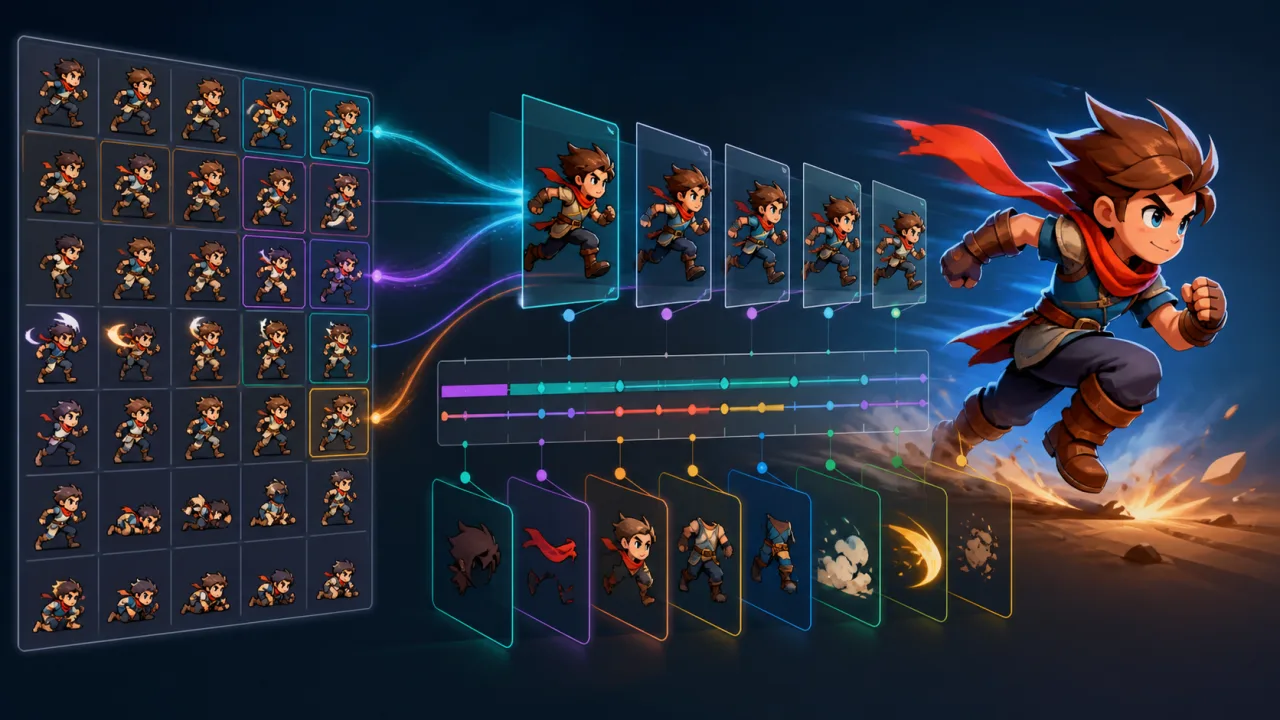
A sprite animator looks simple until a game needs dozens of characters, variable frame rates, clean state transitions, and reliable gameplay events. A production system should keep simulation deterministic, rendering cheap, and animation data easy for artists and developers to inspect. This guide builds that foundation for Canvas 2D or WebGL HTML5 games.
Separate animation data from playback state
Store reusable clip definitions independently from each animated entity. A clip should describe its frame sequence, frame durations, loop mode, playback direction, optional event markers, and atlas region. The entity should store only mutable playback state: current clip, local time, frame index, speed, direction, and completion flag.
const clips = {
  idle: { frames: [0, 1, 2, 3], fps: 8, loop: true },
  run:  { frames: [8, 9, 10, 11, 12, 13], fps: 14, loop: true },
  jump: { frames: [16, 17, 18, 19], fps: 10, loop: false }
};
Keep this data in JSON or generated modules so the renderer never guesses how an atlas is arranged. If large art packs are downloaded progressively, integrate clip metadata with your asset streaming and prefetching pipeline.
Advance animation with stable time
Do not increment one frame per render. Displays may refresh at 60, 90, 120, or 144 Hz, and browser tabs may pause. Advance clips from elapsed time. Clamp unusually large deltas so a tab resume does not skip an entire attack or fire every queued event at once.
function updateAnimator(anim, dt) {
  const step = Math.min(dt, 0.1) * anim.speed;
  anim.time += step;

  while (anim.time >= anim.frameDuration) {
    anim.time -= anim.frameDuration;
    advanceFrame(anim);
  }
}
Run gameplay state in the fixed update loop described in the fixed-timestep game-loop guide. The animator may consume fixed simulation steps and expose interpolation data for rendering. This keeps animation-driven collisions and attacks reproducible even when visual frames fluctuate.
Define loop and completion semantics
Looping clips wrap to their first frame. One-shot clips stop on the final frame and report completion exactly once. Ping-pong clips reverse direction at each end without duplicating terminal frames. Write these rules explicitly; small edge-case errors often cause a visible pause or double event.
Expose methods such as play(name, options), pause(), resume(), and isFinished(). Calling play with the active clip should preserve time by default. A restart option can deliberately return to frame zero for attacks or hit reactions.
Use a state machine for transitions
Keep locomotion and combat decisions outside the animator. A character state machine selects idle, run, jump, attack, hurt, or death, while the animator only plays the requested clip. Define transition priority so a low-priority run state cannot interrupt a hit reaction or death animation.
- Allow idle and run to replace each other immediately.
- Let jump transition to fall after a marker or vertical-velocity change.
- Lock attacks until a cancel window or completion marker.
- Give hurt and death states explicit higher priority.
If transitions need visual softness, blend transforms or opacity briefly in WebGL, but avoid blending unrelated atlas poses for too long. Fast, readable transitions usually feel better than expensive cross-fades in pixel art.
Attach events to frames, not render calls
Animation events trigger sounds, particles, footsteps, hitboxes, or projectiles. Store each event at a clip time or frame boundary and emit it only when playback crosses that boundary. Track the event cursor so a frame rendered twice does not fire twice.
When a large delta crosses several frames, process events in order. If the clip loops, split the time interval around the loop boundary. Gameplay-critical events should be confirmed by the simulation state rather than trusted blindly; visual animation is a presentation layer, not an authority.
Effects triggered by clips can reuse the pooling techniques from HTML5 object pooling and the rendering strategy from the high-performance particle system guide.
Pack sprites into atlases
An atlas reduces network requests and texture switches. Store each frame's x, y, width, height, pivot, trimmed bounds, and optional rotated flag. Pivots are essential: aligning every frame by its top-left corner makes a character wobble as transparent padding changes.
For Canvas 2D, draw the source rectangle into a destination rectangle with pixel snapping when the art style requires it. For WebGL, convert atlas regions into normalized UV coordinates and batch sprites that share texture, shader, blend mode, and camera.
Batch rendering without losing order
Sort visible sprites by render layer and stable depth key. Within compatible groups, write quads into a shared dynamic buffer and issue one draw call per batch. Avoid sorting every entity by complex objects; precompute compact integer keys when possible.
Frustum-cull off-screen entities before preparing vertices. The smooth camera system guide explains how to maintain stable transforms that work well with culling and interpolation. Keep animation updates cheaper for distant or invisible decorative entities, but continue full-rate updates for anything that affects gameplay.
Control memory and garbage collection
Do not allocate arrays, event objects, or frame descriptors during each update. Reuse animator instances, keep clip data immutable, and write events into a bounded queue or callback interface. Pool temporary effects and debug markers. A single allocation is cheap; thousands per second can create unpredictable pauses on mobile browsers.
Offer quality tiers
Low-powered phones may need fewer decorative animators, lower event density, or reduced update rates for background characters. Preserve the main character and gameplay-critical enemies at full fidelity. Measure actual frame time with the approach in HTML5 frame-time telemetry before lowering quality.
Respect player preferences too. A reduced-motion setting can limit camera shake, squash-and-stretch, and rapid looping background effects without removing essential feedback. See the reduced-motion settings guide for practical design patterns.
Debug with visible state
Add an optional overlay showing entity ID, active clip, frame index, local time, playback speed, loop count, and queued events. Draw the current pivot and trimmed frame bounds. A frame-step control is invaluable for inspecting transitions and hit timing.
Use deterministic seeds for any animation variation, following the deterministic random-seed guide. Record the seed and input sequence in bug reports so visual timing issues can be reproduced.
Production checklist
- Store clip definitions separately from mutable player state.
- Advance clips with elapsed simulation time, not render count.
- Clamp large deltas and define loop boundaries precisely.
- Emit events once when playback crosses their markers.
- Use atlas pivots and trimmed bounds to prevent wobble.
- Cull before batching and avoid per-frame allocations.
- Define state priority, cancel windows, and completion behavior.
- Test 30, 60, 90, 120, and 144 Hz rendering plus tab resume.
- Expose quality and reduced-motion options.
A strong sprite animation system is mostly about explicit rules. Stable timing, data-driven clips, deterministic events, and efficient batching let the same architecture support a tiny platformer or a crowded action game without turning animation code into a source of frame-rate bugs.