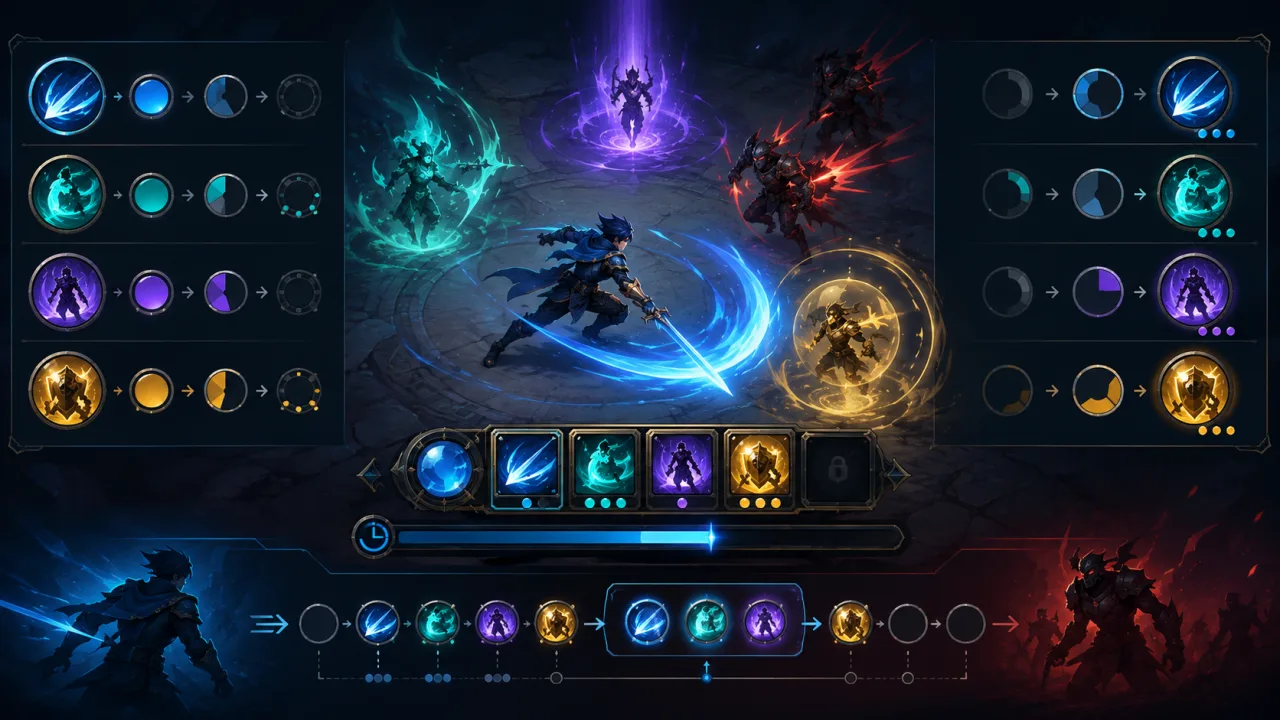
Cooldowns turn powerful actions into readable decisions. They prevent ability spam, create combat rhythm, and tell players when an option will return. In an HTML5 game, a reliable cooldown system must also survive frame drops, background-tab throttling, touch input, charges, global locks, pauses, and save/load boundaries.
Keep ability data separate from cooldown state
An ability definition should contain stable design data: ID, base cooldown, charge count, recharge mode, global-cooldown category, input-buffer window, and UI assets. Runtime state belongs in a separate record containing available charges, next-ready time, queued activation, and any temporary cooldown modifier.
This separation lets designers rebalance abilities without rewriting timers. It also allows the same cooldown service to support combat skills, consumables, interactions, and enemy actions.
{
  id: "dash",
  cooldownMs: 3200,
  maxCharges: 2,
  recharge: "sequential",
  globalGroup: "movement",
  bufferMs: 180
}
Use timestamps instead of subtracting frame time
Store a ready timestamp and compare it with the authoritative game clock. A frame-based counter can drift when frames are skipped or the browser throttles an inactive tab. With timestamps, the next update immediately knows whether an ability is ready and how much time remains.
Choose the clock deliberately. Gameplay cooldowns usually follow simulation time and should stop when the game is paused. Daily rewards and server-backed timers follow wall-clock or server time. Do not mix the two inside the same ability record.
For deterministic combat, integrate cooldown updates with the fixed-timestep game loop. The radial UI can interpolate smoothly each rendered frame while the simulation decides when an activation becomes legal.
Centralize activation validation
Every input path should call one authoritative request function. It checks game state, available charges, individual cooldown, global cooldown, resource cost, status restrictions, and target validity. It then returns a structured result such as accepted, cooling down, no resource, stunned, invalid target, or buffered.
This prevents touch buttons, keyboard shortcuts, AI, and replay systems from bypassing different rules. If combat uses the 2D status effect system, cooldown validation can query tags such as silenced, stunned, or haste through the same interface.
Support charges without ambiguous timers
Charged abilities need a documented recharge policy. Sequential recharge restores one charge, then starts the next timer. Parallel recharge tracks a timer for each missing charge. Most action games use sequential recharge because it is easier to understand and display.
When a charge is spent, reduce the available count atomically and start recharging only when required. Never let two rapid input events consume the same final charge. Emit a single state-change event so audio, animation, and UI update from the confirmed result.
Design global cooldowns as groups
A global cooldown temporarily locks a category of abilities after one is used. Store it as a separate timer keyed by group rather than copying the same expiry to every ability. Movement, combat, items, and utility actions can use different groups or opt out entirely.
Validate the individual cooldown and group cooldown together, but show players which rule is blocking activation. A brief global sweep across the action bar should look different from a long ability-specific radial mask.
Add a small input buffer
Players often press an ability a fraction of a second before it becomes ready. A short buffer can remember the request and execute it on the first valid simulation step. Store the requested ability, target context, request time, and expiry. Revalidate everything at execution because the target, resource, or character state may have changed.
The concepts in HTML5 game input buffering help keep this feature responsive without allowing commands to fire long after the player intended them.
Build honest cooldown UI
- Show a radial or vertical fill proportional to remaining time.
- Display charge count separately from the recharge sweep.
- Use a clear ready flash that does not rely only on color.
- Distinguish disabled, cooling down, globally locked, and unaffordable states.
- Keep the icon position stable when counters or warnings appear.
- Update accessible labels when an action becomes available.
Touch controls need large, stable targets and must avoid duplicate pointer and click activations. Follow the practical sizing and anchoring guidance in HTML5 touch controls.
Apply cooldown modifiers consistently
Buffs, equipment, and difficulty rules may shorten or lengthen cooldowns. Define whether modifiers affect only new cooldowns or also rescale active ones. A simple policy is to snapshot the duration when an ability activates; a more dynamic policy recalculates remaining percentage when modifiers change. Whichever approach you choose, test it and expose it consistently.
Clamp final durations to safe minimums so combined bonuses cannot produce zero-length loops. Record the original duration and active modifiers for debugging, but do not couple UI calculations to temporary effect objects.
Pause, save, and restore safely
When simulation time pauses, cooldowns should remain frozen without rewriting every timestamp. Use a game clock that stops advancing. If cooldowns persist across sessions, save the ability ID, charges, and remaining simulation duration or an approved wall-clock expiry. Validate unknown IDs and negative values on load.
Queued inputs are usually transient and should not survive a save. Rebuild visual elements from state rather than serializing DOM nodes, animation handles, or callbacks.
Measure and test edge cases
- Press the same ability twice in one frame.
- Spend the final charge as another charge completes.
- Pause one millisecond before readiness.
- Background the browser longer than the cooldown.
- Apply a cooldown modifier during an active timer.
- Buffer an input, then stun the character before execution.
- Load a save created with an older ability definition.
- Render dozens of cooldowns on a low-powered phone.
Use frame-time telemetry to ensure radial masks, ready effects, and repeated UI events do not create spikes. Reuse particles with object pooling when several abilities finish together.
Ship the smallest complete version
Begin with one timestamp per ability, a central activation validator, a radial indicator, and tests for rapid input and pause behavior. Add charges, global groups, buffers, and modifiers only after the core lifecycle is reliable.
A strong ability cooldown system is an authoritative state machine with clear feedback. Timestamp-based timing, centralized validation, explicit charge rules, grouped global locks, cautious input buffering, and honest UI keep combat responsive and predictable across browsers and devices.