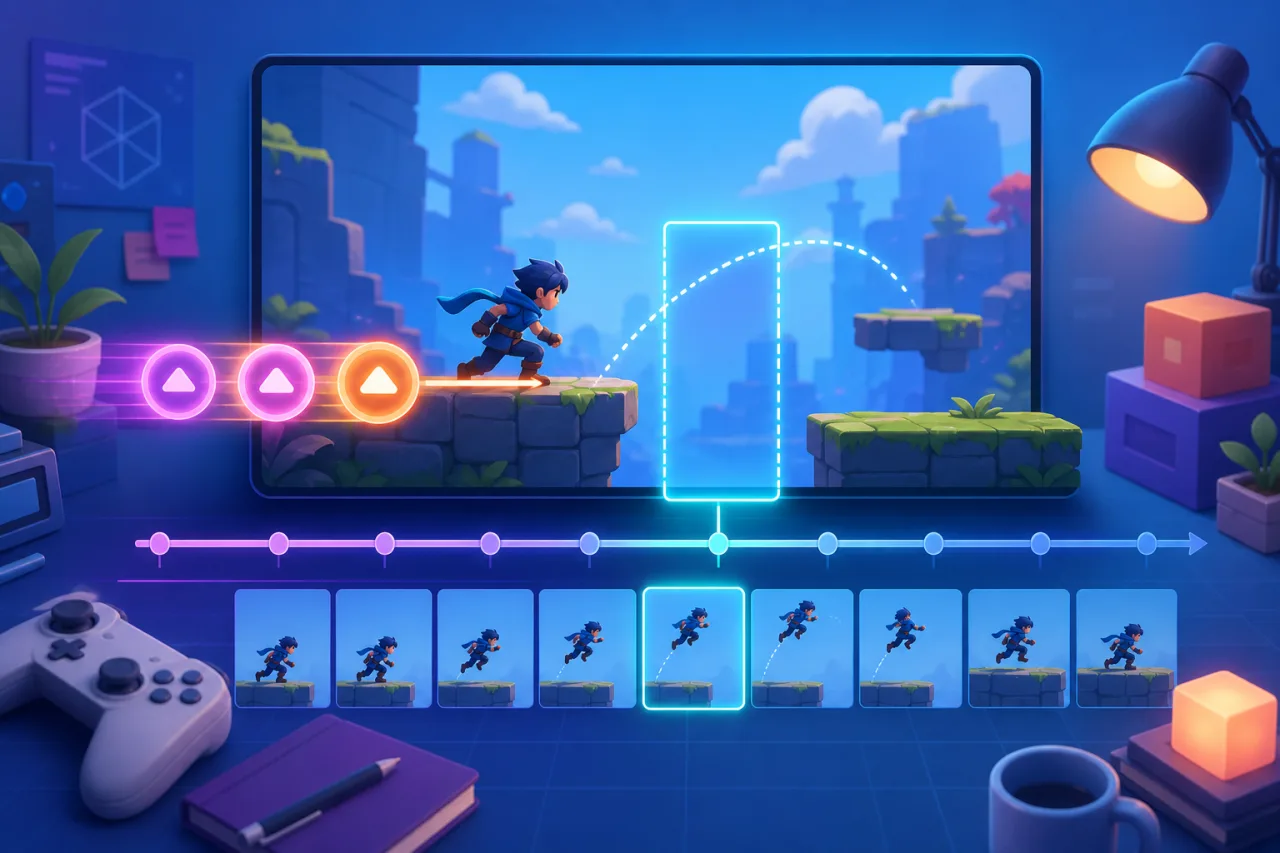
Fast action games often feel unfair when a player presses a button just before the character is technically allowed to act. The input was real, but the game discarded it because the current animation or state had not finished. Input buffering solves that problem by remembering a recent command for a short, controlled window and executing it as soon as the action becomes valid.
What input buffering changes
Without a buffer, every key, touch, or controller press is evaluated only on the exact frame it arrives. With a buffer, the game records the action type and a timestamp. The gameplay state machine can then consume that command during the next valid transition. A jump pressed a fraction of a second before landing can trigger on contact, while an attack pressed near the end of recovery can start when recovery finishes.
The goal is responsiveness, not automation. Keep the window short enough that the result still matches the player's intention. For many arcade games, 80 to 180 milliseconds is a useful starting range, but the correct value depends on animation speed, frame pacing, and the cost of a mistaken action.
Use time instead of frame counts
Store buffered commands with a high-resolution timestamp from performance.now(). Time-based windows behave consistently on 60 Hz, 120 Hz, and temporarily slow devices. A frame-count buffer changes duration whenever the frame rate changes, which can make mobile play feel different from desktop play.
A small record is enough: action name, pressed time, source device, and whether the command has been consumed. When the state machine asks for an action, reject expired entries, confirm the move is legal, execute it once, and remove it immediately.
Normalize keyboard, touch, and gamepad input
Feed every device through one action layer. A keyboard Space press, a touch jump button, and a controller face button should all create the same jump command. This keeps buffering rules identical across platforms and prevents device-specific timing bugs. If your game supports controllers, pair this approach with the HTML5 gamepad support guide. For mobile interfaces, review the touch controls guide as well.
Let game states decide what can be consumed
The input system should remember intent, but the state machine should remain authoritative. A buffered dash may be valid from idle or run but invalid during stun. A jump may be consumed on landing, while an attack might wait until a cancel window opens. Keeping those rules in gameplay states makes the system easier to test and prevents a generic input layer from bypassing combat restrictions.
Avoid stale and repeated commands
Clear commands after successful use, expiry, a scene change, death, pause, or focus loss. Decide whether repeated browser keydown events create new commands; for most discrete actions they should not. Hold actions, such as charging or aiming, usually need separate pressed and released state instead of repeated buffered entries.
Use a bounded queue if several actions can be remembered. Limit its length and define whether newer duplicates replace older ones. In a fighting game, ordering may matter; in a simple platformer, keeping only the newest jump request is often clearer.
Test the edge cases players will notice
Test just before and after landing, recovery, cooldown completion, menu close, and scene resume. Repeat the tests under artificial frame drops and at multiple refresh rates. Confirm that one press produces one action, expired commands never fire late, and changing devices does not duplicate the same intent.
Instrumentation helps: log the press time, eligibility time, consumption time, and expiry reason in development builds. If you already record deterministic runs, buffered commands should be included in the same event stream described in the HTML5 replay system guide.
Keep the buffer visible in your design
Document the window for each action and treat it as part of game feel. A generous jump buffer can make platforming welcoming, while a tighter attack buffer can preserve deliberate combat. Tune with real players, not only perfect test inputs. A good buffer disappears into the controls: players simply feel that the game understood what they meant.