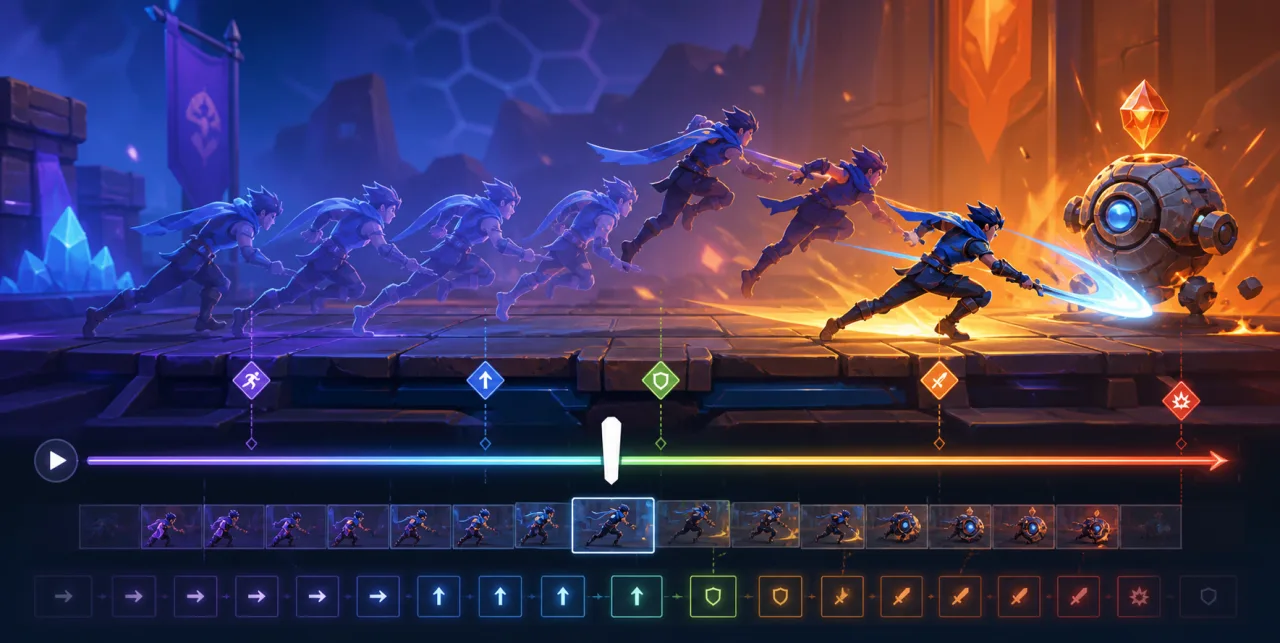
A replay system lets players review a great run, learn from a mistake, share a moment, or verify a competitive result. The reliable approach is rarely to record video. Most HTML5 games can store a compact timeline of inputs and deterministic events, then run the simulation again during playback.
Choose the replay goal first
A personal “watch my last run” feature has different requirements from tournament verification or shareable highlights. Define the supported game modes, maximum duration, accuracy requirement, retention period, and whether replays must survive future game updates.
Competitive use needs stronger validation and version control. If replays support leaderboards or tournaments, treat them as evidence to inspect, not proof that a client is trustworthy.
Record inputs instead of rendered frames
Video is large and expensive to generate in the browser. A deterministic replay stores the initial state plus the player's actions at known simulation ticks. Examples include movement vectors, button presses, aim direction, menu choices, and random-seed initialization.
Record semantic actions such as jump or moveLeft, not raw keyboard codes. This keeps the format compatible with remapped keys, touch controls, and the architecture described in our guides to keyboard remapping and touch-friendly controls.
Use a fixed simulation clock
Replay data should reference fixed simulation ticks, not wall-clock timestamps. Rendering may run at 60, 90, or 120 frames per second, while gameplay advances at a stable tick rate. During playback, consume all actions assigned to each tick before advancing the simulation.
Do not derive important physics from variable frame time. Small timing differences accumulate until the replay diverges. Separate the render loop from the deterministic simulation step.
Control every source of randomness
Initialize gameplay randomness from a stored seed and use a known pseudo-random generator for replayed systems. Avoid calling an uncontrolled random source during playback. If several systems need randomness, give them separate streams so adding a visual effect does not change enemy behavior.
Record external decisions that cannot be reproduced from the seed, such as a server-selected opponent or generated daily challenge. Fixed shared challenges should store their content or immutable identifier, similar to the rules discussed in our daily challenges guide.
Define a versioned replay format
Include a format version, game build identifier, mode, map or level ID, simulation tick rate, initial seed, settings that affect gameplay, input events, and an integrity checksum. Keep presentation settings such as volume or color theme out of the file unless they change mechanics.
Use a compact representation, but favor debuggability before premature compression. Delta-encode tick numbers, pack common buttons into bit fields, and compress the final payload only after the format is stable.
Store periodic checkpoints
A purely input-based replay must simulate from the beginning to seek forward. Add periodic state checkpoints for long sessions. A checkpoint may contain position, velocity, health, inventory, score, active entities, and random-generator state.
Checkpoints also help detect divergence. During playback, compare a lightweight state hash at each checkpoint. If the hash differs, stop or mark the replay as incompatible rather than showing a misleading result.
Handle game updates explicitly
Balance changes, physics fixes, new entity behavior, and map edits can invalidate old inputs. Store the game build and replay schema version. For important competitive replays, preserve the compatible simulation code or export a server-rendered artifact before retiring it.
Do not silently play an old replay with new mechanics. Show a clear compatibility message and keep metadata such as score, duration, and date visible when playback is unavailable.
Design playback controls
Players expect pause, resume, restart, speed control, and timeline seeking. Disable normal gameplay input during playback except for replay controls. Distinguish replay mode visually so nobody mistakes it for a live attempt.
For seeking, jump to the nearest checkpoint and simulate forward without rendering every intermediate frame. Limit maximum fast-forward work per browser task to avoid freezing the page.
Validate without trusting the client
A client can alter a replay before upload. Validate schema, size, event count, tick order, allowed actions, map ID, build version, and duration. Reject impossible event rates and malformed numeric values. Use server-side simulation for high-value competitive results when practical.
A checksum detects accidental corruption, not cheating, if the client can generate it. Signed server receipts or authoritative simulation are stronger when rewards or rankings matter.
Protect privacy and storage
Record only gameplay actions needed for reproduction. Do not capture chat, account tokens, device identifiers, or unrelated input. Give players a clear choice before uploading or sharing a replay, and define an expiration policy for stored files.
The data-minimization principles in our responsible playtime tracking guide apply here too. Replay identifiers should be unguessable, and private replays should require authorization.
Test for deterministic playback
- Replay the same input file repeatedly and compare final hashes.
- Run playback at different rendering frame rates.
- Pause, resume, seek, and change playback speed.
- Test keyboard, touch, and gamepad-generated semantic actions.
- Verify long sessions with several checkpoints.
- Corrupt events, versions, seeds, and checksums intentionally.
- Load a replay after a compatible and incompatible game update.
- Test backgrounding, tab visibility changes, and recovery.
Measure performance
Track replay file size per minute, checkpoint size, encode time, decode time, seek latency, and divergence rate. Keep recording work lightweight so it does not reduce gameplay frame rate. Buffer events in memory and serialize at safe boundaries instead of writing on every input.
If a replay is synchronized through player accounts, apply the conflict and retry safeguards used for cloud save support.
Common mistakes
- Recording rendered frames when compact inputs would work.
- Using variable frame time for gameplay simulation.
- Leaving randomness uncontrolled.
- Storing raw device key codes instead of semantic actions.
- Ignoring build and format versions.
- Providing no checkpoints for long-session seeking.
- Trusting uploaded client replays for competitive rewards.
- Collecting unrelated personal or device data.
Launch checklist
- Define replay goals, duration, and compatibility policy.
- Use fixed ticks and seeded deterministic systems.
- Record semantic inputs plus required external decisions.
- Version the format and game build.
- Add checkpoints and state-hash validation.
- Provide clear playback and seeking controls.
- Validate uploads and separate competitive trust decisions.
- Minimize data and enforce replay retention.
A reliable replay is a reproducible simulation, not a loose log of what seemed to happen. Fixed ticks, controlled randomness, semantic inputs, versioned data, checkpoints, and strict validation make replays compact enough for the web and dependable enough to be useful.