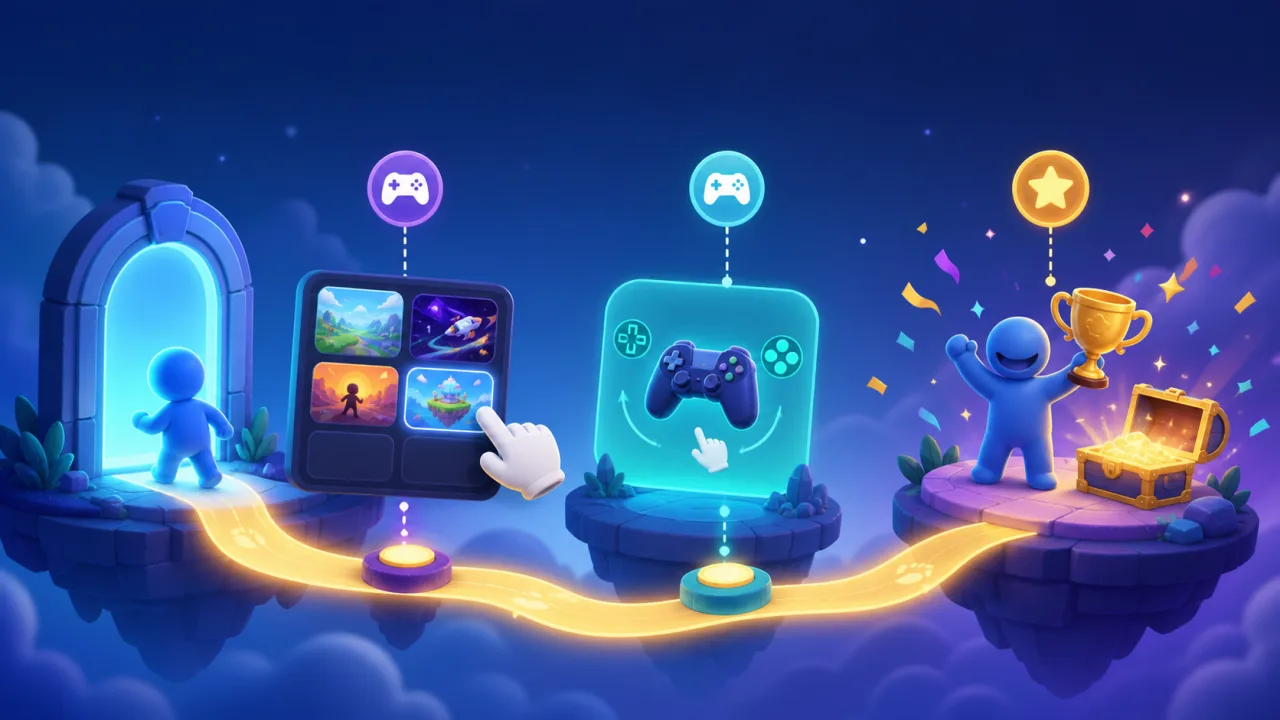
A strong onboarding flow helps a new visitor reach a satisfying first moment without turning play into a tutorial checklist. On an HTML5 game portal, onboarding spans discovery, loading, controls, the first session, and the return path. The goal is not to explain everything; it is to remove the next uncertainty while preserving the pleasure of exploration.
Define the first-success moment
Choose one observable outcome for each game: complete the first move, finish a short level, score a point, or understand the main loop. Measure time to that moment. If a player needs several screens of explanation before acting, simplify the path.
Match onboarding to game complexity
A one-button arcade game may need one animated hint. A strategy game may need a guided scenario and optional reference panel. Classify games by control complexity, session length, and failure cost so the portal does not force one template on every title.
Reduce decisions before play
Show a clear play action, device compatibility, orientation, and essential control method. Delay account creation, notification prompts, ratings, and social requests until the player has received value. Good discovery also matters; use the ideas in personalized game recommendations to offer understandable choices.
Keep the first load honest
Display real loading progress when the game exposes it, and use a lightweight branded skeleton when it does not. Explain large downloads before they begin. Avoid fake progress bars and surprise autoplay audio.
Teach controls in context
Show the control when it becomes useful, then let the player try it immediately. A small overlay near the relevant action works better than a long instruction screen. Keep a persistent help button for players who want to review controls later.
Detect input method
Adapt hints for keyboard, mouse, touch, or supported gamepad, but let the player switch manually. Never assume a touchscreen means touch-only. Re-evaluate input after a pointer, key, or controller event and update prompts without resetting progress.
Design for mobile from the start
Place touch controls inside safe areas, keep targets large, respect notches, and test portrait and landscape transitions. Controls must remain visible above browser chrome and virtual keyboards. Apply the responsive guidance from making HTML5 games work better on mobile browsers.
Make guidance accessible
Support keyboard navigation, screen-reader labels in portal UI, high contrast, reduced motion, captions where audio carries meaning, and alternatives to color-only signals. Do not make a timed tutorial the only way to learn.
Allow skipping and replay
Experienced players should be able to skip guidance, while returning players should be able to replay it from settings. Record the choice per game and version. Reset onboarding only when a material control or rule change requires it.
Support guests without friction
Let visitors reach first play before asking for an account. Save lightweight onboarding state locally and explain its limits. If they later create an account, preserve eligible progress using the patterns in supporting guest players.
Save progress at safe checkpoints
Persist the completed tutorial step, control preference, and first-success state after meaningful milestones. For account players, synchronize authoritative progress across devices. The conflict-handling approach in HTML5 game cloud saves is useful here.
Celebrate without interrupting
A brief visual response, sound cue, or small reward can confirm the first success. Keep celebrations dismissible and avoid a modal after every minor action. The next choice should be clear: continue, try another level, or return to the portal.
Offer the right next step
After a first session, suggest one relevant action rather than a wall of options. Continue the game, save progress, explore a related title, or start an optional challenge. Curated paths can draw on curated game collections.
Integrate onboarding with achievements
A welcome badge can recognize genuine first mastery, but do not reward simply opening every screen. Keep onboarding progress separate from long-term achievement logic, using achievement badges for durable accomplishments.
Respect player wellbeing
Do not use urgent countdowns, forced streaks, or loss-framed prompts during onboarding. Show expected session length when useful and make exits obvious. Player trust matters more than squeezing one extra session from a newcomer.
Instrument a small event funnel
Track page viewed, play clicked, game loaded, first input, tutorial step completed, first success, session ended, and return visit. Use pseudonymous identifiers where possible and avoid collecting raw inputs. Segment by game, device, input method, and guest status.
Find the real drop-off
A low play-click rate suggests discovery or page clarity problems. A gap between click and load points to performance. A gap between first input and first success suggests confusing controls or difficulty. Fix the responsible stage instead of adding more popups.
Test failure and recovery
Test slow networks, asset errors, tab backgrounding, orientation changes, interrupted sessions, blocked storage, account linking, and repeated events. Confirm that players resume at a sensible point and that analytics do not count the same milestone twice.
Roll out by game cohort
Start with a few representative games, compare completion and return behavior, and review qualitative feedback. Version every onboarding configuration. A portal-wide rollout should happen only after control hints, accessibility, and saved state work across the selected cohort.
Launch with a practical checklist
- Define first success for each game type.
- Remove unnecessary decisions before play.
- Teach controls contextually and accessibly.
- Support touch, keyboard, mouse, and gamepad.
- Let guests play, skip, and resume safely.
- Measure the funnel without invasive data.
- Test failures and gradual rollout.
The best onboarding often feels almost invisible. When the portal presents the right game, the game teaches one action at a time, and progress survives ordinary interruptions, new players can discover the fun before they encounter the friction.